
Church Center Giving is very user friendly and should be much easier to use moving forward. This is a quick walk thru of how to set up Regular Giving within Church Center.
STEP 1
- Click “Log In” in the top right corner.
- Once logged in continue (You can still continue if you’re unable to log in).
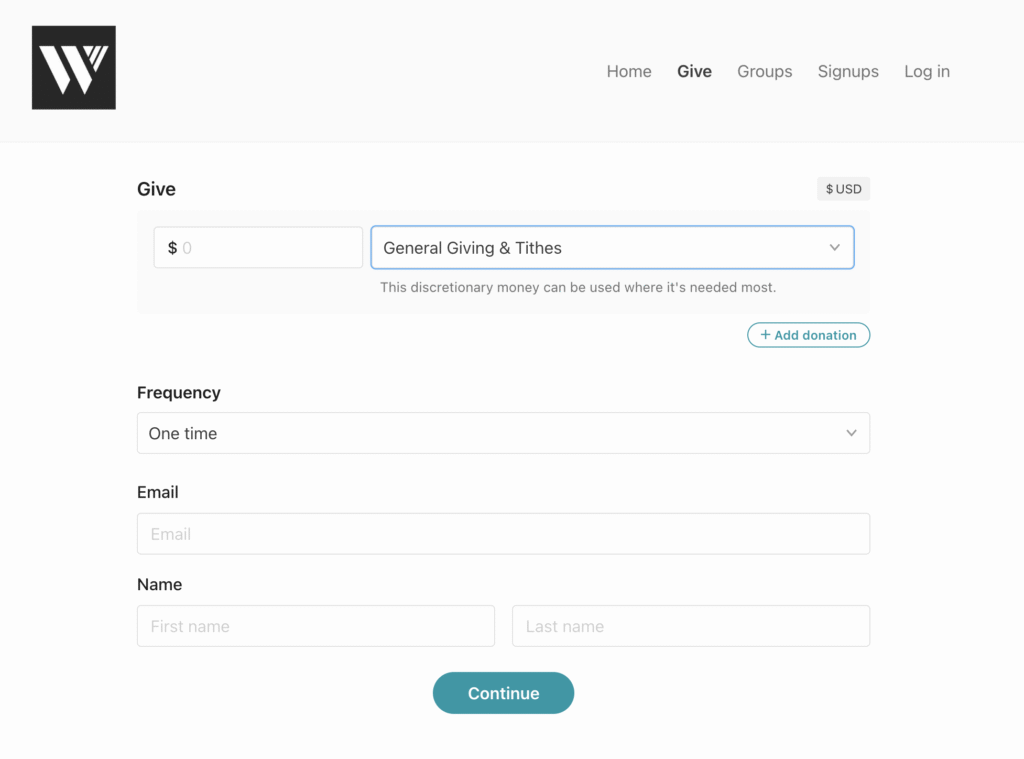
- Select your giving Amount and the Destination.
- General Giving & Tithes is the main church account.
- You can also click the Add Donations button if you would like to give to multiple accounts.
STEP 2
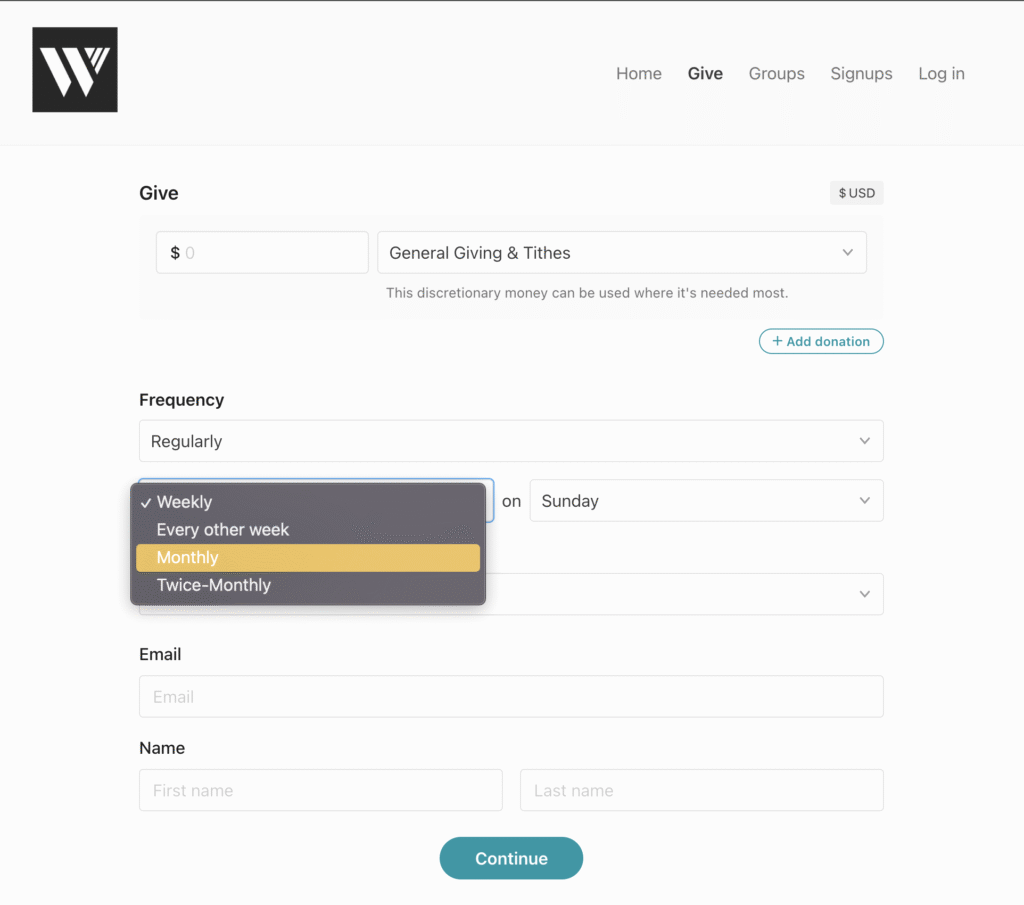
- Set Frequency to “Regularly”
- Choose how frequently you would like to give your selected amount.
- Then select what day of the week/month the payment will take place.
STEP 3
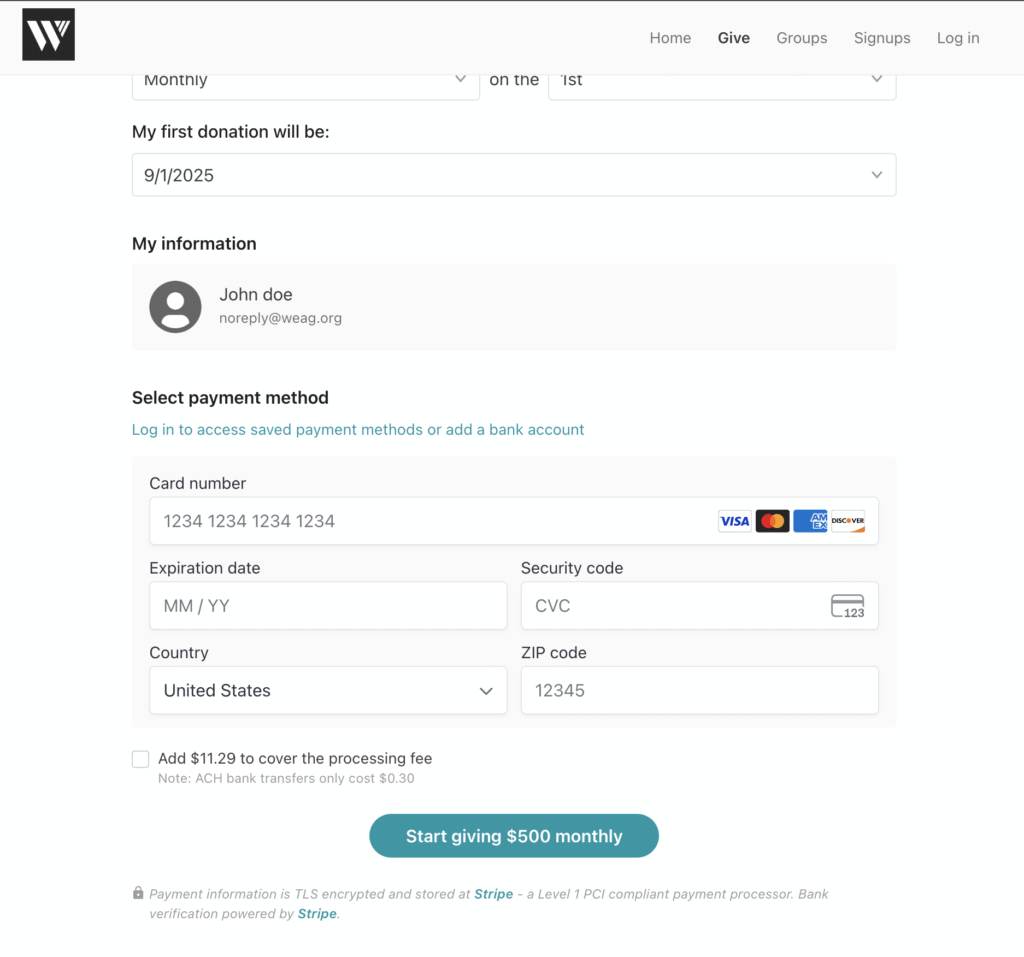
- Logged in – “My Information” should be filled in already.
- You will have the ability to pay by card or add a bank account for direct deposits.
- If Not Logged In – Fill in the “My Information” section.
STEP 4
- Select your payment option.
- Click the “Start Giving” button.
YOU’re all done!
Thank you for joining together and being a part of what’s happing at WEAG | Church!
Ending Fellowshipone Giving
If you need help ending your previous giving thru FellowshipOne, follow these step by step instructions.